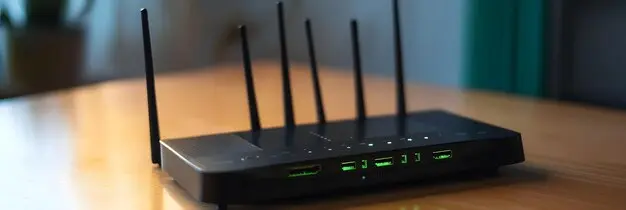
Discover common home Wi-Fi installation mistakes that can weaken your signal. Avoid slow speeds and dropouts with our expert tips for better network setup.
Choosing the Wrong Router
One of the most common home Wi-Fi installation mistakes is choosing a router that does not suit the size of the property or the way the internet is used each day. Many people pick the cheapest option or simply use whatever comes with their broadband package without thinking about performance. That can be enough for a small home with light use, but it may struggle in a larger property or in a busy household with lots of connected devices.
A weak or outdated router can lead to slow speeds, poor coverage, and regular dropouts. This is especially noticeable when several people are streaming, gaming, working from home, or using smart devices at the same time. The router is the centre of the home network, so if it is not up to the job, the whole setup can suffer.
Before installing Wi-Fi, it helps to think about the number of users, the number of devices, and the layout of the home. A better router can offer stronger coverage, handle more traffic, and give a more reliable connection throughout the day.
Placing the Router in a Poor Location
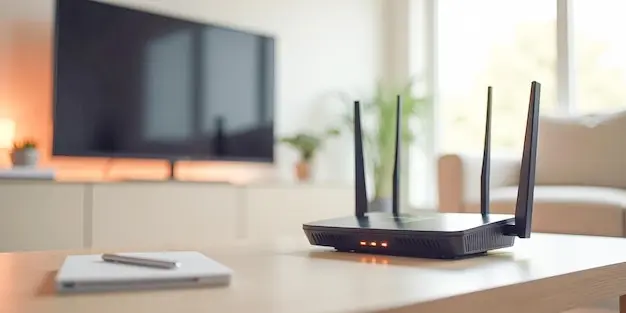
Where the router is placed has a major effect on Wi-Fi performance, yet it is often treated as an afterthought. Many people leave it wherever the line enters the house, even if that means it ends up in a hallway cupboard, near the floor, or tucked into a corner. While this may seem convenient, it can stop the signal from spreading evenly through the home.
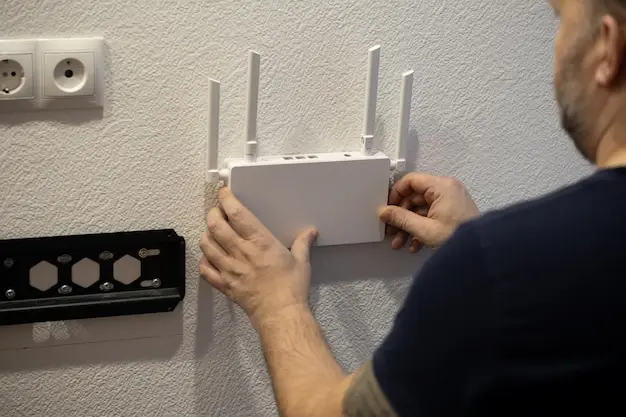
Wi-Fi signals travel out from the router in all directions, so a central and open location usually works best. If the router is positioned at one end of the house, devices at the other end may struggle to get a strong connection.
In larger homes, this can create slow speeds in bedrooms, loft areas, or upstairs rooms, even when the broadband service itself is working well. Putting the router too low can also reduce coverage because furniture and other household items can block the signal more easily.
A good setup usually means placing the router on a shelf or table, away from heavy clutter, and as close to the middle of the home as possible. It should also be near the areas where internet use is highest, if practical.
Taking the time to choose the right position during installation can prevent many common connection problems later. A poor location can hold back the whole network, even if the router itself is modern and powerful.
Hiding the Router Behind Furniture
It is common for people to hide the router because they do not want it on display, but this can be a mistake. A router may not be the most attractive item in the home, yet hiding it behind a sofa, cabinet, television unit, or large shelf can weaken the signal and reduce the overall performance of the Wi-Fi.
Wi-Fi works best when the router has space around it. When it is boxed in by furniture, the signal can be blocked or absorbed before it has a chance to reach other rooms properly. This often leads to weaker coverage, slower speeds, and more connection problems in parts of the home that are already harder to reach. It may seem like a small issue, but even a stylish storage choice can affect the quality of the connection.
During installation, it is better to place the router somewhere open and raised rather than hiding it away. That does not mean it has to sit in the middle of the room, but it should have enough clear space to work properly. Keeping it visible can help it perform far better.
Ignoring Walls and Other Obstacles
Many people assume Wi-Fi will pass through the home without much trouble, but walls and other obstacles can make a big difference. This is especially true in older houses, larger properties, and homes with thick internal walls. Materials such as brick, concrete, metal, and even large mirrors can reduce signal strength and cause weak spots in areas that seem close to the router.
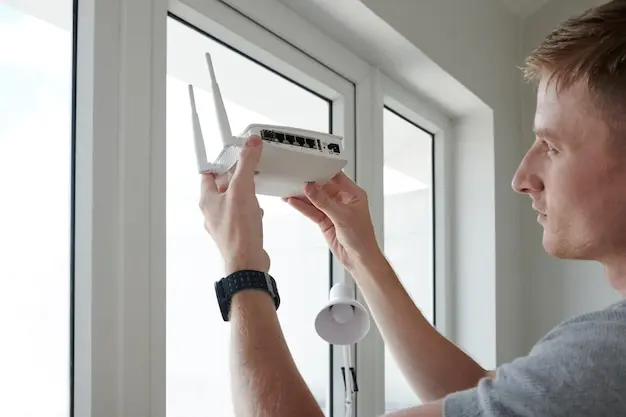
When installation is planned without thinking about these obstacles, the result can be patchy coverage. A router may appear to be in a sensible place, but if the signal has to pass through several thick walls before reaching the rooms where it is needed most, speed and reliability can suffer. Doors, fitted wardrobes, fireplaces, and large appliances can also affect how the signal travels through the home.
This is why a simple layout plan is worth considering before setup begins. Looking at the number of walls between the router and key devices can help you predict where the signal may weaken.
In some homes, a small move in router position can make a clear difference. In others, extra equipment such as a mesh system may be the better answer. Ignoring obstacles often leads to frustration because the problem may not be obvious at first.
A home can look easy to cover on paper, but once walls and large objects are taken into account, the signal may struggle more than expected.
Setting Up Wi-Fi Without Proper Security
Security is sometimes treated as a separate issue from speed, but the two are closely linked. Setting up Wi-Fi without proper security can put the network at risk and may also affect performance. If other people are able to connect without permission, they can use up bandwidth and slow the connection for everyone in the home.
A common mistake is leaving the network open or using a weak password that is easy to guess. This can make it far easier for unwanted users to gain access. Even if that never happens, poor security still leaves the network more exposed than it needs to be. Another problem is forgetting to secure the router settings themselves, which may allow someone to change important setup options.
Good Wi-Fi installation should always include a strong password and proper security settings from the start. That helps protect personal data, connected devices, and the speed of the network. A secure setup supports a safer and more stable internet experience, which is why it should never be skipped.
Using the Default Router Settings
Many routers work straight out of the box, which leads some people to believe the default settings will always be good enough. While the internet may connect, that does not mean the router is set up in the best way for the home. Leaving everything on default can lead to avoidable problems with speed, coverage, and security.
Default settings are designed to get the router running quickly for a wide range of users. They are not always chosen to suit a particular property, a specific household, or a busy environment with lots of nearby networks. In some cases, the router may be using a crowded Wi-Fi channel, a broad setup that is not ideal for the home, or security options that should be reviewed. It may also miss out on useful features that can improve performance, such as settings that help manage devices more efficiently.
Checking the settings after installation does not mean changing everything. It simply means making sure the basics are right for the home. A review of the network channel, security options, available Wi-Fi bands, and software version can make a noticeable difference. People often blame the broadband service when the real issue is that the router has never been properly adjusted. Taking a few extra steps beyond the default setup can lead to a stronger, more reliable home Wi-Fi connection.
Forgetting to Change the Network Name and Password
Leaving the default network name and password in place is a very common mistake. It may seem harmless at first, especially when the main goal is simply getting online, but it can create both security and practical issues. Default details are often less personal, less memorable, and sometimes easier for others to recognise.
Changing the network name makes it easier to identify your own Wi-Fi, especially in areas where many networks appear on the same list. This can be helpful in flats, terraced homes, or streets with closely packed properties. A clear network name reduces confusion for people in the house and helps when connecting new devices.
Changing the password is even more important. A strong password helps protect the network from unwanted access and reduces the chance of someone else using the connection. If the password is weak or unchanged, the risk is greater. This can affect privacy and may also slow the network if others connect without permission.
During installation, updating both the network name and password should be treated as a basic step, not an extra task to do later.
Overloading the Network with Too Many Devices
Modern homes often have far more connected devices than people realise. It is not just phones, laptops, and televisions anymore. Many households also have tablets, games consoles, streaming boxes, smart speakers, cameras, printers, video doorbells, and connected appliances. When Wi-Fi is installed without taking this into account, the network can become overloaded more easily than expected.
Each device puts some demand on the router, even when it is not in heavy use. Once several people begin streaming, gaming, making video calls, or downloading files at the same time, the pressure on the network increases. A router that copes well with a few devices may start to struggle when the list grows much longer. This can lead to buffering, lag, dropouts, and a general feeling that the internet is slower than it should be.
One mistake is assuming that every connected item needs full time access to the main network. In reality, some devices may only need occasional use, while others may no longer be needed at all. Reviewing what is connected can help reduce unnecessary demand. It also helps to choose a router that is built to handle the number of devices in the home. Planning for device load during installation is important because the network should suit the way the household actually lives, not just the way it looks on day one.
Not Updating Router Software
Router software is easy to forget because it works in the background, but ignoring it can be a mistake. The software inside the router helps control how it performs, how secure it is, and how well it handles the devices connected to it. If it is out of date, the router may not work as smoothly as it should.
Manufacturers release updates to fix problems, improve stability, and strengthen security. Without these updates, the router may be more likely to suffer from faults or weakness in protection. In some cases, performance can also be affected. People often focus on broadband speed and hardware quality but overlook the fact that software plays a part in the overall experience.
Checking for updates after installation, and then every so often, is a sensible habit. It can help the router stay reliable and may improve the way the home network runs. A setup that looks fine on the outside can still be limited by software that has been left unchanged for too long.
Using the Wrong Wi-Fi Band
Many modern routers offer more than one Wi-Fi band, but a common mistake is using the wrong one for the device or the room. This can lead to slower speeds or weaker performance, even when the router itself is working properly. People may not realise that one band can be better for distance while another can be better for speed.
In most homes, the main choice is between 2.4 GHz and 5 GHz. The 2.4 GHz band usually reaches further and travels through walls more easily, which makes it useful for rooms farther from the router. However, it can also be more crowded because many household devices use it. The 5 GHz band often gives faster speeds and less interference, but it does not always carry as well over distance or through obstacles.
Problems can happen when devices stay connected to a slower or less suitable band without the user realising it. A television or laptop close to the router may perform far better on 5 GHz, while a device in a distant bedroom may benefit from 2.4 GHz. Some routers manage this automatically, but not all do it well. Understanding the difference between the bands helps people get more from their Wi-Fi setup. During installation, it is worth checking how the bands are named and used so the network performs properly throughout the home.
Skipping a Speed Test After Installation
One simple mistake is finishing the installation and assuming everything is working well without testing it. A speed test may only take a moment, but it can reveal whether the setup is performing as expected. Without one, it is much harder to know if the connection is actually delivering the speed the household needs.
A speed test can show download speed, upload speed, and response time. These results help you understand whether the issue is with the incoming broadband service or with the Wi-Fi inside the home. If the speed is poor straight after installation, it is better to spot that early rather than days or weeks later after more problems appear.
Testing near the router gives a useful first result, and comparing that with speeds in other parts of the home can also highlight weak areas. This makes it easier to identify whether the router position, settings, or coverage need attention. Skipping this step means relying on guesswork instead of real results, which can lead to more wasted time later.
Not Checking for Signal Dead Spots
A home network can seem fine in the room where the router is installed, but that does not mean the signal reaches every area properly. One of the most common mistakes is assuming full coverage without testing it. Dead spots can appear in upstairs bedrooms, extensions, loft conversions, home offices, or even in the garden, depending on the layout and the building materials used.
If dead spots are not checked after installation, people may only discover them once the network is already in daily use. That can be frustrating, especially if an important room has poor coverage. The problem may show up as slow loading, dropped calls, frozen video meetings, or devices that keep disconnecting. In many cases, the broadband service is blamed when the real issue is simply weak signal in a certain area of the home.
The best way to avoid this mistake is to test the Wi-Fi in multiple rooms straight after installation. Walk around the property with a phone or laptop and check where the signal drops. This helps build a clearer picture of the network and shows whether changes are needed. Sometimes moving the router is enough. In other homes, the answer may be a better router or a wider coverage system. Dead spots are common, but they are much easier to fix when they are found early rather than ignored.
Relying on Extenders in the Wrong Way
Wi-Fi extenders can be useful, but they are often used in ways that do not solve the real problem. A common mistake is treating an extender as a full answer for poor Wi-Fi everywhere in the house, even when the main router is badly placed or not strong enough to begin with. An extender can only repeat the signal it receives, so if that signal is already weak, the result may still be disappointing.
Placement is another issue. Some people put the extender in the room with poor coverage, thinking that is where it is needed most. In reality, it should usually be placed between the router and the weak area, where it can still receive a good signal to pass on. If it is too far away from the router, it may simply repeat a poor connection.
Extenders can help with one or two weaker areas, but they are not always the best choice for larger properties or homes with many obstacles. In those cases, a mesh system may provide more even coverage. Using the right solution in the right way is important.
Overlooking Interference from Other Devices
Interference is an issue that many people do not think about during Wi-Fi installation. A router can be in a reasonable spot and still perform poorly if nearby devices are disrupting the signal. This often happens because the items causing the problem are ordinary household objects that do not seem related to internet speed at first glance.
Common sources of interference include microwaves, cordless phones, baby monitors, Bluetooth devices, wireless speakers, and some smart home equipment. If the router is placed too close to these items, the signal may become weaker or less stable. Large electrical appliances and metal surfaces can also affect how Wi-Fi travels around the room. In busy neighbourhoods, nearby Wi-Fi networks from other homes may add even more interference, especially if several routers are using similar channels.
The result can be slower speeds, buffering, random disconnections, or signal problems in areas that should otherwise work well. These issues are often confusing because they come and go, making them harder to identify. A user may think the broadband provider is at fault when the real cause is sitting just a few feet from the router.
A better installation plan takes surrounding devices into account. The router should be given clear space and kept away from items that may affect the signal. Even small changes in position can sometimes improve performance. Overlooking interference can leave a home with a Wi-Fi setup that never quite feels reliable, even though the equipment itself may be perfectly adequate.
Not Planning for Full Home Coverage
A common mistake is setting up Wi-Fi with only one room in mind rather than the whole property. People often focus on where the router can be plugged in or where the main television sits, but they do not always consider bedrooms, offices, upstairs spaces, kitchens, or outdoor areas where internet access may also be needed. This can leave parts of the home with weak coverage from the start.
Planning for full coverage means thinking about how the internet will be used across the entire property. A small flat may need very little planning, but a larger home or one with thick walls may need more thought. If Wi-Fi is expected to reach every room, the installation should be designed with that goal in mind. That may involve choosing a stronger router, placing it more carefully, or adding extra coverage equipment where needed.
Without planning, people often end up reacting to problems after installation instead of preventing them beforehand. That can mean more cost, more time, and more frustration.
Failing to Ask for Professional Help When Needed
Some Wi-Fi problems can be solved with simple changes, but not every issue is easy to fix without support. A common mistake is struggling on for too long with slow speeds, poor coverage, or repeated dropouts instead of asking for professional help when it becomes clear that the setup is not working as it should.
This often happens because home Wi-Fi seems straightforward at first. People may assume the problem is minor and keep moving the router, restarting devices, or changing settings without really knowing what the deeper issue is. In some cases, that may work. In others, the home may have structural obstacles, a poor broadband entry point, or equipment that is unsuitable for the size and demands of the property. There may also be interference problems or coverage gaps that need a more informed solution.
Getting expert help can save time and prevent further frustration. A professional can assess the layout of the home, test signal performance, recommend suitable equipment, and suggest better placement or wider coverage options. This is especially useful in larger homes, homes with outbuildings, or households with heavy daily internet use. Asking for help is not a sign that something has gone badly wrong. It is simply a practical step when the network needs more than a basic setup.
Our team provide complete home Wi-Fi installation in Chelsea, Kensington, and Knightsbridge. We install and configure routers, mesh systems, and extenders, and place equipment for the best coverage. We also improve weak spots with neat cabling where needed, set up parental controls, secure your network, connect smart home devices, and offer ongoing support and troubleshooting.