Read our room by room guide to home Wi-Fi setup and learn how to improve signal strength, reduce dead zones, and get better coverage throughout your home.
Why Room by Room Wi-Fi Planning Matters
Planning your home Wi-Fi room by room can make a big difference to speed, coverage, and reliability. Many people install a router, connect a few devices, and hope the signal reaches everywhere it needs to go. In reality, each part of the home can present different challenges. A living room may have many devices competing for bandwidth, while a loft conversion or garage office may be farther away and harder for the signal to reach.
A room by room approach helps you think about how the internet is used in each space. It also makes it easier to spot where stronger coverage is needed most. For example, a home office may need a stable connection for calls and meetings, while a bedroom may only need enough speed for streaming and browsing.
This kind of planning can also help avoid wasted money. Instead of buying equipment you may not need, you can focus on solving the real weak points in the home. By looking at each room properly, you can build a Wi-Fi setup that feels more balanced, practical, and dependable for everyday use.
Start with the Best Place for Your Router
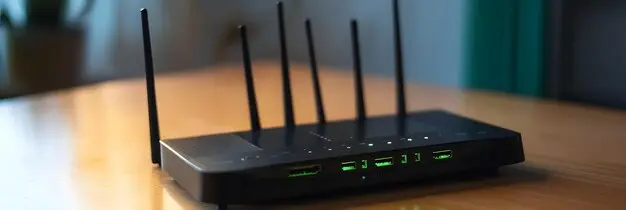
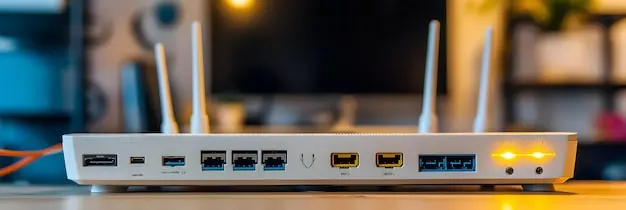
The router is the centre of your home Wi-Fi setup, so where you place it matters a great deal. One of the biggest mistakes people make is leaving the router wherever the broadband line happens to enter the property, even if that means it ends up in a poor location. A router hidden in a hallway cupboard, tucked behind a television, or placed low on the floor is far less likely to provide strong and even coverage around the home.
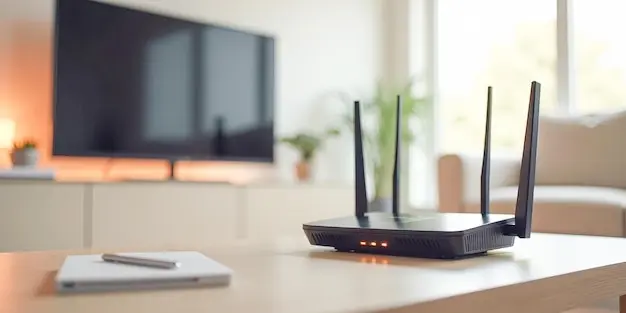
The best position is usually somewhere central, open, and slightly raised. This gives the signal a better chance of spreading into multiple rooms. If the router is placed at one end of the house, rooms on the far side may struggle with weak Wi-Fi, especially if the signal has to pass through walls, furniture, or stairs. Putting the router on a shelf or table can help it perform better than if it sits on the floor behind household clutter.
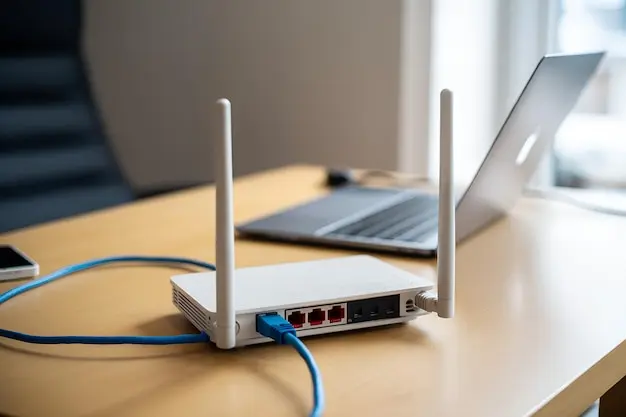
Think about where internet use is most important. If several people work, stream, or game in certain areas, it helps to choose a location that supports those spaces while still giving decent coverage to the rest of the home. A router should also be kept away from large metal objects, thick furniture, and electrical items that may interfere with the signal.
Starting with a strong router position makes every other step easier. If the router is badly placed, even good equipment can struggle. A thoughtful starting point gives your home Wi-Fi a much better chance of performing well in every room.
Setting Up Wi-Fi in the Living Room
The living room is often one of the busiest spaces for Wi-Fi use. Smart televisions, streaming boxes, games consoles, tablets, phones, and speakers may all be connected in the same area. Because of this, the living room often needs a stronger and more stable connection than people first expect.
If possible, try to make sure the router is not too far from this room, especially if it is where most streaming or gaming takes place. Devices used for films, programmes, or live sport often need steady speed to avoid buffering. Online gaming also benefits from a reliable signal with low delay. If the living room is a main internet hub, it should be treated as a priority area during setup.
It also helps to avoid placing the router directly behind the television or inside a media unit. These spots can block the signal and reduce coverage. If several large devices are used in the same room, check that they are not all competing on a weak signal. A good living room setup supports entertainment without slowing the network for everyone else.
Getting Better Signal in the Kitchen
The kitchen is not always the first room people think about when setting up Wi-Fi, but it can still be an important area. Many homes now use tablets, phones, smart speakers, and other connected devices in the kitchen every day. Whether someone is following a recipe online, listening to music, watching a video, or checking messages, a weak signal in this room can quickly become annoying.
Kitchens can be tricky for Wi-Fi because they often contain large appliances, metal surfaces, and thick walls. Fridges, ovens, microwaves, and cupboards can all affect how the signal travels. If the router is too far away, the kitchen may end up with weaker coverage than the next room, even if it looks close on a floor plan. Interference from certain appliances can also make the signal less stable at times.
A good kitchen setup usually starts with checking whether the signal is actually strong enough where devices are used most. If the room sits behind several walls or far from the router, it may help to adjust the router position slightly so the signal reaches it more clearly. If moving the router is not practical, it may be worth looking at wider coverage options if the kitchen is used often for connected devices.
Because kitchens are busy spaces, reliability matters. You do not need the strongest speeds in the house here, but you do want the signal to work properly without sudden dropouts. Testing the kitchen separately as part of a room by room setup can help make sure this everyday space is not overlooked.
Improving Wi-Fi in Bedrooms
Bedrooms often need a different kind of Wi-Fi setup from the main living areas. In many homes, they are used for lighter browsing, streaming, music, or social media, but that does not mean coverage can be ignored. Weak Wi-Fi in bedrooms can still be frustrating, especially if people watch programmes on tablets, join calls, or use smart devices before bed.
A common issue is that bedrooms are often farther from the router, especially in upstairs areas. If the router is downstairs at one side of the house, the signal may weaken by the time it reaches bedrooms on the upper floor. Walls, ceilings, and furniture can all reduce coverage. This may lead to slower speeds or signal dropouts that do not appear elsewhere in the home.
When planning bedroom Wi-Fi, think about which rooms need the strongest connection. A main bedroom used for streaming every evening may need better coverage than a spare room used only now and then. Testing the signal in each bedroom helps show whether the current setup is enough or whether changes are needed.
Making Home Office Wi-Fi More Reliable
A home office often needs one of the most reliable Wi-Fi connections in the house. Unlike casual browsing or evening streaming, work tasks can depend on steady performance throughout the day. Video calls, cloud based files, shared systems, and large uploads all place demands on the connection. If the Wi-Fi drops or slows down during important tasks, it can quickly become a serious problem.
For that reason, the home office should be treated as a priority room during Wi-Fi setup. Start by checking where the office sits in relation to the router. If it is too far away, behind several walls, or in an extension, the signal may not be strong enough for reliable work use. A connection that seems acceptable for browsing may still struggle with video meetings or heavy daily use.
If the office is a permanent workspace, it may be worth placing the router closer to it if that still allows decent coverage elsewhere in the home. Another option is to improve coverage specifically for that room with the right equipment if the layout makes direct coverage difficult. Try to keep the workspace away from obvious sources of interference, and test connection quality during normal working hours rather than only in the evening.
Reliable home office Wi-Fi is about more than speed alone. Stability matters just as much. A room by room setup helps make sure the office is not left with a weak or unpredictable connection that affects daily work.
Setting Up Wi-Fi in Children’s Rooms
Children’s rooms often have more internet use than people first expect. Tablets, games consoles, smart speakers, televisions, and school devices may all rely on Wi-Fi in these spaces. Because of this, it is worth including them properly in your Wi-Fi plan rather than assuming a basic signal will do.
The level of coverage needed depends on how the room is used. If it is mainly for occasional streaming or music, moderate Wi-Fi may be enough. If it is used for gaming, online lessons, or regular video calls with family, a stronger and steadier connection will be more important. Weak coverage can lead to buffering, slow downloads, or unreliable connections that cause frustration.
Children’s rooms are often upstairs or at the edges of the home, which can make them harder to reach from the router. Testing signal strength in each room helps you understand whether the coverage is good enough for daily use. Planning these rooms properly can help avoid arguments later and make sure important online tasks work as they should.
Boosting Signal in Bathrooms and Utility Spaces
Bathrooms and utility spaces are not always treated as priorities for Wi-Fi, but they can still matter in a modern home. People may use phones, smart speakers, or connected appliances in nearby areas, and utility rooms may contain washing machines, dryers, or other systems with smart features. Even if these rooms are not used for heavy internet activity, weak coverage can still affect convenience and connected devices.
These spaces can be awkward for Wi-Fi because they often sit at the edges of the property or behind thicker internal walls. Bathrooms may also have tiles, pipes, mirrors, and plumbing that affect how the signal moves through the space. Utility rooms often contain large appliances and enclosed layouts that can weaken coverage further. The signal may be fine in the next room but noticeably poorer once it passes into these areas.
The goal here is not usually to create the fastest Wi-Fi in the house. It is to make sure the signal remains usable and steady where needed. If a utility room supports smart devices or sits between the router and other important spaces, its coverage may matter more than expected. Testing these rooms helps you decide whether the signal is acceptable or whether a wider solution is needed.
Including bathrooms and utility spaces in your room by room Wi-Fi check makes the setup more complete. These are often forgotten areas, but they can reveal where your network starts to weaken.
Extending Wi-Fi to Loft Conversions
Loft conversions can be one of the hardest areas in the home to cover with strong Wi-Fi. Because they sit at the top of the house, the signal often has to travel through multiple ceilings and walls before it gets there. Even if the loft is only used as a spare room, poor coverage can still be frustrating. If it is used as a bedroom, study space, or entertainment room, good Wi-Fi becomes much more important.
The first step is to test the signal properly in the loft rather than guessing. Some homes may get acceptable coverage from a well placed router on the floor below, while others may struggle badly because of layout and building materials. Stairwells, insulation, and structural features can all affect how well the signal reaches the top floor.
If the loft conversion has regular daily use, it should be treated as part of the main home network rather than as an afterthought. A room by room plan helps you see whether it is a weak point that needs extra support. Loft spaces often reveal the limits of a basic router setup, especially in taller or older homes.
Improving Coverage in Garages and Garden Offices
Garages and garden offices can be difficult areas for home Wi-Fi because they often sit outside the main structure of the house. Even when they are close by, the signal may have to pass through exterior walls, thick insulation, or additional building materials that weaken it. This can make the connection far less reliable than expected.
If the garage is only used now and then, basic coverage may be enough. But if it is used for hobbies, exercise equipment, smart storage systems, or charging devices, a steadier signal can be useful. Garden offices usually need even more attention. If someone works there daily, the Wi-Fi should be stable enough for calls, emails, meetings, and file access without regular interruptions.
The first thing to do is test the signal where the devices will actually be used. Do not assume that because the space is visible from the house, the Wi-Fi will be strong enough. Outbuildings often expose weak points in the network. If the connection drops sharply outside the main home, you may need a more suitable coverage solution rather than hoping the router alone will reach.
Planning for garages and garden offices early helps avoid disappointment later. These spaces can be very useful, but only if the Wi-Fi setup is designed to support them properly. A room by room approach makes it easier to see when separate areas need extra attention to work well.
How to Deal with Thick Walls and Dead Zones
Thick walls and dead zones are two of the most common causes of weak home Wi-Fi. Older properties, larger homes, and houses with solid internal walls can all create problems for the signal. Even if the router is modern and the broadband speed is good, the Wi-Fi may still struggle to reach certain places.
Dead zones are areas where the signal becomes weak or disappears altogether. These often appear in upstairs bedrooms, back rooms, extensions, lofts, or spaces behind several walls. Thick materials such as brick, stone, and concrete can reduce the signal much more than standard internal partitions. Large mirrors, fireplaces, and fitted storage can also affect coverage.
The best way to deal with these issues is to identify them clearly. Walk through the house and test the Wi-Fi in each room. Once you know where the dead zones are, it becomes easier to decide what changes will help most. Sometimes moving the router a little can improve coverage more than expected. In other homes, the structure makes wider support necessary.
When to Use Wi-Fi Extenders or Mesh Systems
Wi-Fi extenders and mesh systems can both improve coverage, but they are not the same thing and they do not suit every situation equally well. Knowing when to use them is an important part of planning a room by room Wi-Fi setup.
An extender is usually a simpler option for one or two weaker areas. It works by picking up the existing signal and repeating it farther into the home. This can help with a spare bedroom, a kitchen at the back of the house, or another single area where coverage drops. However, extenders work best when they are placed where the original signal is still fairly strong. If they are put too far into a dead zone, they may only repeat a poor connection.
A mesh system is often more suitable for larger homes, awkward layouts, or properties with several weak spots. Instead of relying on one router and one repeated signal, it uses multiple units to spread coverage more evenly around the home. This can make it easier for devices to stay connected as people move between rooms. Mesh systems are often a better choice for homes with loft conversions, garden offices, or several floors.
The right option depends on the size of the property, the layout, and where the weak areas are. A room by room review helps you choose the most suitable solution instead of buying extra equipment without a clear reason.
Testing Wi-Fi Speed in Every Room
Testing Wi-Fi speed in every room is one of the most useful steps in the whole setup process. Without it, you are largely relying on guesswork. The signal may feel fine in the room with the router but much weaker elsewhere. A proper check helps you see how the network performs across the whole home rather than in just one spot.
Start by running a speed test near the router. Then repeat the test in the living room, kitchen, bedrooms, office, loft, and any other spaces where internet use matters. Compare the results and look for major drops in speed or stability. It can also help to check the signal at different times of day, especially if several people use the internet in the evening.
Testing each room gives you a clear map of strong areas and weak ones. It helps show whether the current setup is working well or whether you need to move the router, adjust settings, or add wider coverage support. It also stops you from making changes without proof.
A room by room speed check turns your Wi-Fi setup into something practical and measurable. Instead of guessing where the trouble is, you can see it clearly and respond in a more effective way.
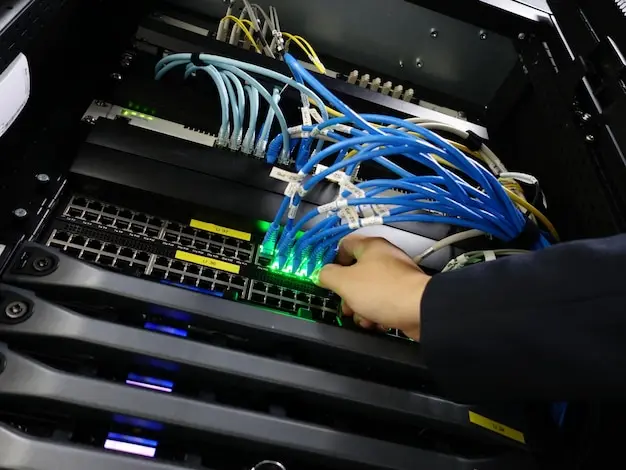
Our team provide complete home Wi-Fi installation in Chelsea, Kensington, and Knightsbridge. We install and configure routers, mesh systems, and extenders, and place equipment for the best coverage. We also improve weak spots with neat cabling where needed, set up parental controls, secure your network, connect smart home devices, and offer ongoing support and troubleshooting.